All Restore - Photo & Video
- 4.0
- Rating
- 100.00K
- Installs
- Free
- Price

 Analysis by App-foxy
I tried All Restore - Photo & Video with one practical question in mind: what happens when an important photo, video, or file disappears from a phone and I need a simple recovery attempt rather than a complicated desktop tool? The app sits in the tools category, is free to use, and focuses its entire experience on bringing back deleted personal files with as little effort as possible. That narrow purpose is both its appeal and its main limitation.
My first impression was that this is designed for urgency. Someone who accidentally removed a family picture, cleared a download, or lost a short video does not usually want a long technical explanation. They want to open an app, understand what it can look for, and start checking. All Restore aims at that moment. It is not presented as a general file manager or a full phone-maintenance suite, so I found it easier to judge as a recovery utility rather than as an all-purpose storage app.
How All Restore handles a recovery attempt
The developer behind it is Last Minute Flights Corp., and the app is listed for Everyone. Its current version is 1.16, with support beginning at Android 7.0, which makes it accessible to people using older Android devices as well as newer phones. That broad compatibility matters in this category because deleted files are often discovered on a secondary or aging handset rather than on a freshly purchased device.
You May Also Like

 Pandora - Music & Podcasts
Pandora’s Music Is Easy to Start, but Harder to Recover
Pandora’s strength is its low-effort path from a seed to a station. Its weak spot is how much confidence it asks you to place in connection, setup, and quiet recovery.

 8 Ball Pool
 Is Built on Rivalries, Rematches, and Routine
A close look at the rivalries, rematches, shared routines, and unanswered safety questions that turn a quick pool match into a persistent mobile community.

 Samsung Music
’s Quiet Strength Is Playing What You Already Own
Its reach comes less from spectacle than from dependable access to a personal library. That simplicity is both the app’s strongest retention engine and its ceiling.

 AccuWeather: Weather Radar
AccuWeather Review: A Quick, Clear Forecast for Everyday Decisions
For everyday plans, the best forecast is the one you can understand quickly. AccuWeather makes rain timing, radar, and local conditions easy to act on, with a few trade-offs.

 Hill Climb Racing
Why Hill Climb Racing Still Turns Crashes Into One More Run
A tiny car, a bumpy hill and one more upgrade: Hill Climb Racing keeps resurfacing because its simple chaos makes every near-miss feel personal.

 AliExpress - Shopping App
AliExpress Makes Global Shopping Feel Personal, but Shoppers Bear the Risk
AliExpress turns a global marketplace into a pocket-sized discovery engine. Its reach is useful, its shopping loop compelling, and its trade-offs easy to miss.
More From Our News Desk
View All News


The basic workflow is intentionally direct. I would begin by opening the app soon after noticing a deletion, then let it examine the areas it is able to inspect before deciding what is worth restoring. The useful habit here is to avoid treating the first scan as a guarantee. A recovery tool can identify material that still remains available to the phone, but it cannot turn every deletion into a successful restoration.
The most important practical rule is to stop creating new data before scanning. Taking more photos, recording videos, downloading large files, or installing several other apps can make the situation harder because new activity may occupy storage space that once held the deleted item. All Restore is most useful when it becomes the next action, not something opened after hours of continued phone use.
I also recommend preparing a little before tapping through the recovery process. Think about the approximate file type, where it was originally kept, and whether it was recently removed or disappeared a long time ago. Even when the interface is simple, that small amount of organization helps separate a realistic recovery attempt from blind hope. If the missing item was a video, I would first review video results rather than spending time examining every image preview.
Why connectivity can affect the moment you need it
A recovery app is usually opened during a stressful, highly mobile situation: after cleaning storage, while commuting, at work, or just before sharing a memory with someone. That makes connectivity part of the experience even when the missing file itself is stored on the phone. The app may need a working connection for parts of its operation, updates, or supporting services, so I would not wait until an important moment to discover that the phone has weak reception or restricted access.
In a strong-signal setting, the process feels less interrupted because the phone can complete whatever network communication the app requires while I concentrate on the results. On a train, in a basement, or in a crowded venue, the same task may feel slower or less predictable. I would therefore run a recovery attempt on a stable connection when possible, especially if the file matters and I have time to do the job carefully.
This is also where expectations need to stay realistic. A network connection cannot recreate a file that has already been overwritten on the device. Connectivity can help the app operate smoothly, but it does not change the physical condition of the storage. That distinction is easy to miss when a recovery app promises a quick start, so I treat a successful scan as evidence to inspect, not as proof that every deleted item remains recoverable.
There is a useful privacy and data-awareness angle here too. I would avoid beginning a large recovery session on expensive mobile data unless I understood what the app was doing and how much communication it required. A Wi-Fi connection is the safer choice for a lengthy attempt, not because recovery is automatically data-heavy, but because an unexpected network-dependent step can be inconvenient when a connection is limited.
Using it on a phone rather than a computer
All Restore makes the most sense for people who want to handle the problem directly on Android. That is convenient because the phone is where the deletion happened, and there is no need to find a cable, install desktop software, or move storage into another device before making an initial attempt. For a casual user, this reduces the barrier between noticing the problem and doing something about it.
A realistic example would be a parent who deletes a short birthday video while clearing a crowded gallery. The mistake is noticed later that evening, when the phone is the only available tool. I would stop recording, connect to dependable Wi-Fi, open All Restore, and review the recovery results with the original filename or approximate time in mind. If a usable copy appears, I would save it somewhere safe immediately and avoid continuing to reorganize the gallery until I had checked it.
That mobile convenience has a trade-off. A phone screen is not ideal for comparing many similar images, checking long filenames, or judging whether a recovered video is complete. A desktop recovery program can be better when the missing material is extensive, when a memory card is involved, or when I need detailed control over storage locations. All Restore is better suited to a quick first response than to a forensic investigation.
I would also be careful with storage space during the process. A recovered video can be large, and restoring several versions of the same image may quickly recreate the storage problem that caused the original cleanup. My approach would be to preview or identify the strongest candidates first, restore only what matters, and then copy those files to a separate safe location. Recovery is not finished merely because a thumbnail appears; I would open the restored file and confirm that it behaves normally.
What happens when the first attempt fails
The hardest part of this kind of app is not pressing the scan button. It is knowing what to do when the desired file does not appear. I would not immediately conclude that the app is useless. I would first check whether I am looking in the right media group, whether the deletion was recent enough to be plausible, and whether the phone has continued storing new material since the mistake.
A second attempt can be worthwhile if the first review was rushed, but repeatedly scanning without changing anything is unlikely to solve a storage problem by itself. I would close unrelated apps, make sure the phone has enough free space for normal operation, and use a stable connection before trying again. I would also avoid installing multiple competing recovery tools immediately, because each new installation adds activity to the device and makes the situation harder to assess cleanly.
There is another common failure point: confusing a missing original with a missing copy. A photo may have existed in a messaging app, a cloud service, a social platform draft, or a computer backup even if it is gone from the main gallery. All Restore is worth trying for the phone copy, but I would check those other locations as well. In many real situations, the fastest recovery is finding an already-sent or synchronized version rather than repeatedly scanning local storage.
If the file appears but will not open, I would treat that as a warning rather than a success. A damaged image may show a preview while failing at full size, and a video may appear in a list without playing correctly from beginning to end. I would test the recovered item before deleting any remaining candidates. This is one of the most important workflow details because a user can accidentally discard the only partially usable copy while assuming the first visible result is complete.
Being careful with mobile data and storage
Because All Restore is free, it is easy to start using it casually, but free does not mean the process has no practical cost. Network use, battery consumption, time, and restored-file storage all matter on a phone. I would begin with the device charged reasonably well, close activities I do not need, and choose Wi-Fi when the recovery task looks more than trivial.
I would also avoid restoring an entire collection to the same crowded gallery. If the app offers several possible results, the sensible order is to identify the important files, restore a small group, verify them, and then move them to a separate folder or another storage destination. That workflow reduces duplicate clutter and makes it easier to tell which files are genuinely useful.
Connectivity can shape patience as well. If the app pauses during a weak connection, repeatedly tapping buttons may create confusion about whether the action was accepted. I prefer waiting for the current step to finish, checking the screen carefully, and restarting only when it is clear that the process has stopped. On a limited data plan, I would postpone a broad attempt until Wi-Fi rather than letting urgency turn into an avoidable data charge.
For privacy-conscious users, the right question is not simply whether the app is free. It is also where the recovery results are handled during the process and what the user is comfortable doing with personal photos or documents. I would read the app’s permission and privacy explanations on the device before granting access, particularly if the missing files are sensitive. That is good practice with any recovery utility, and it is especially important when a tool is being given access to a broad collection of personal media.
Who will find it useful, and who should choose another route?
I see All Restore as a good first step for Android users who accidentally delete a small number of photos, videos, or files and want a straightforward mobile attempt. It is also appealing for people who find desktop recovery software intimidating. The free price removes the need to make a purchase before discovering whether the app can even locate a useful result.
Its audience is reflected in its reach: the app has passed one hundred thousand installs and holds a four-point average from around seven hundred forty ratings, alongside about fifty-five written reviews. Those figures suggest that it has attracted a meaningful group of users, but they should not be read as a promise that every deletion can be reversed. Recovery success depends heavily on what happened after the file disappeared and where it was stored.
I would look elsewhere first if the missing data is business-critical, if an entire device has failed, or if the storage itself may be physically damaged. In those cases, professional recovery or a carefully chosen desktop utility may offer more control. I would also prefer a built-in backup, gallery trash, or synchronized copy when one is available, because those routes are often more predictable than scanning for remnants of deleted data.
The app is less compelling for someone who regularly manages large archives and needs advanced filtering, disk imaging, batch export, or detailed recovery logs. A focused mobile tool can be wonderfully approachable, but simplicity means fewer controls for unusual cases. That is not a flaw for its intended emergency use; it is simply a boundary I would keep in mind before relying on it for a major recovery project.
My verdict after weighing convenience against uncertainty
All Restore succeeds as a low-friction recovery option for a very specific problem: a personal file has vanished from an Android phone, and I want to make an immediate attempt without moving to a computer. Its free availability, support for Android 7.0 and later, and uncomplicated purpose make it easy to consider when the alternative is doing nothing.
Still, I would use it with a disciplined workflow. Stop writing new data, choose a reliable connection, avoid unnecessary mobile-data use, inspect results carefully, and verify every restored file before cleaning up the remaining candidates. Those habits matter as much as the app itself. They also prevent the most common mistake in recovery work: assuming that a quick scan can replace a backup.
My final view is positive but measured. I would recommend All Restore to a friend who needs a convenient first attempt for recently deleted media or files, especially when the phone is the only tool available. I would not present it as a substitute for backups, a guarantee of recovery, or a professional solution for damaged storage. Used promptly and thoughtfully, it can be a sensible tool to keep in mind; used after extensive phone activity or with unrealistic expectations, it may feel far less capable than its simple promise suggests.
FAQs for All Restore - Photo & Video
01What is All Restore - Photo & Video, and how does it work?
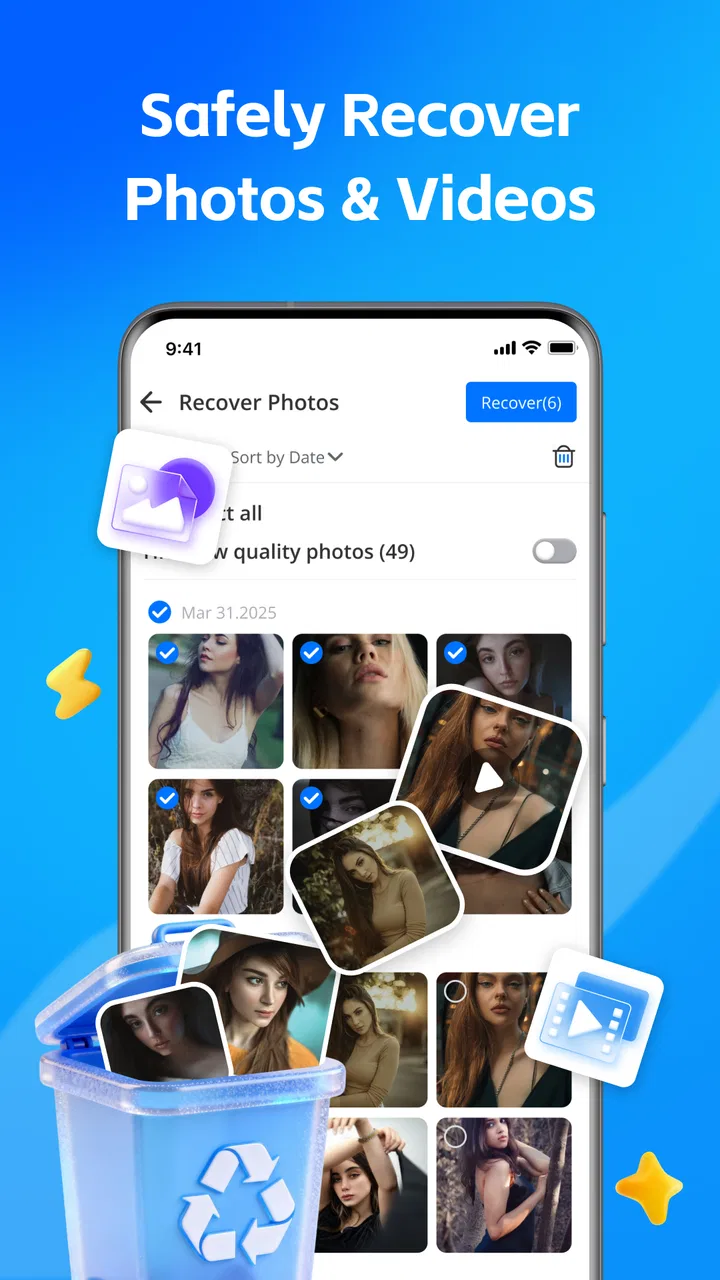
All Restore - Photo & Video is a recovery application designed to help users retrieve deleted photos and videos from their devices. It scans your phone’s storage to locate recoverable media files and provides an easy-to-use interface to restore them. The app supports various file formats and works without needing root access.
02Is All Restore - Photo & Video safe to use on my device?
Yes, All Restore - Photo & Video is safe to use. It does not require any root access or special permissions that could compromise your device’s security. The app respects user privacy by not storing or sharing any recovered data. Always download the app from official app stores to ensure its integrity.
03Does All Restore - Photo & Video support cloud backups?
Currently, All Restore - Photo & Video focuses on local storage recovery and does not support direct cloud backup integration. To recover files from cloud services, you will need to access those backups separately. The app primarily facilitates the recovery of files deleted from internal and external storage.
04Can All Restore - Photo & Video recover files deleted a long time ago?
The success of recovering files with All Restore - Photo & Video depends on how much data has been overwritten since the files were deleted. Files removed a long time ago may have a lower chance of recovery if new data has overwritten them. The app is more effective with recent deletions.
05Does All Restore - Photo & Video work on both Android and iOS devices?
Yes, All Restore - Photo & Video is available for both Android and iOS platforms. However, the features might vary slightly between the two operating systems due to their inherent differences. Ensure your device meets the app’s minimum system requirements for optimal performance.
Pros
- Restores photos quickly and efficiently.
- Supports a variety of file formats.
- Simple and user-friendly interface.
- No advanced technical skills required.
- Minimal impact on device performance.
Cons
- Limited features in free version.
- May not recover all deleted files.
- Ads can be intrusive at times.
- Occasional app crashes reported.
- Requires constant internet connection.

All Restore - Photo & Video
Gallery